
Personal Workflow Optimization
Built an AI-Powered Application Tracker to Replace Spreadsheet Chaos
Built and launched a live web app in one weekend to replace spreadsheet chaos with intelligent job tracking
Role
Senior Product Designer
Product
Job Application Tracker w/ Custom Scoring
Scope
Workflow redesign, prioritization, analytics
Overview
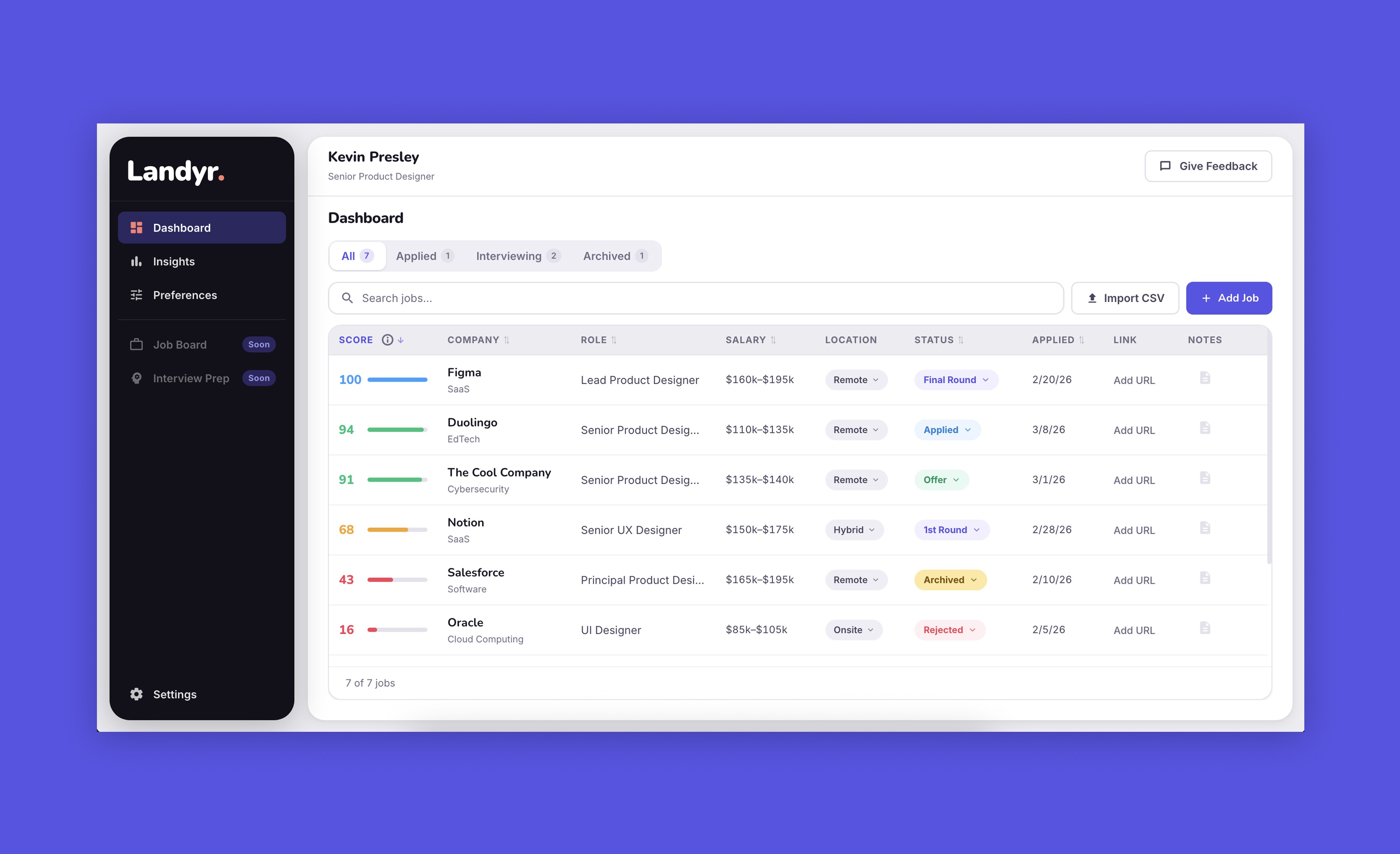
I was frustrated tracking my job applications in a spreadsheet and decided to build something better. Landyr uses AI-powered match scoring to help job seekers prioritize opportunities based on what actually matters to them.
What I did
Solo project. I designed the UX, used Claude to accelerate development, and shipped it live in a weekend
The Problem
Spreadsheets are terrible for job tracking. You manually enter data, can't prioritize effectively, and lose track of what you actually care about. After a lot of applications, I needed a better system.
The Solution
I built a web app that automatically scores jobs based on user-defined priorities. Set your preferences once (salary range, preferred industries, location flexibility, role fit), and every job you add gets scored instantly. No formulas, no manual ranking, just clear prioritization.
Live at: landyr.vercel.app
Key Features
Match Score Algorithm: Weighs salary, industry, location, and role fit based on what the user actually cares about. A $150K remote role in your target industry scores higher than a $180K role that requires relocation.
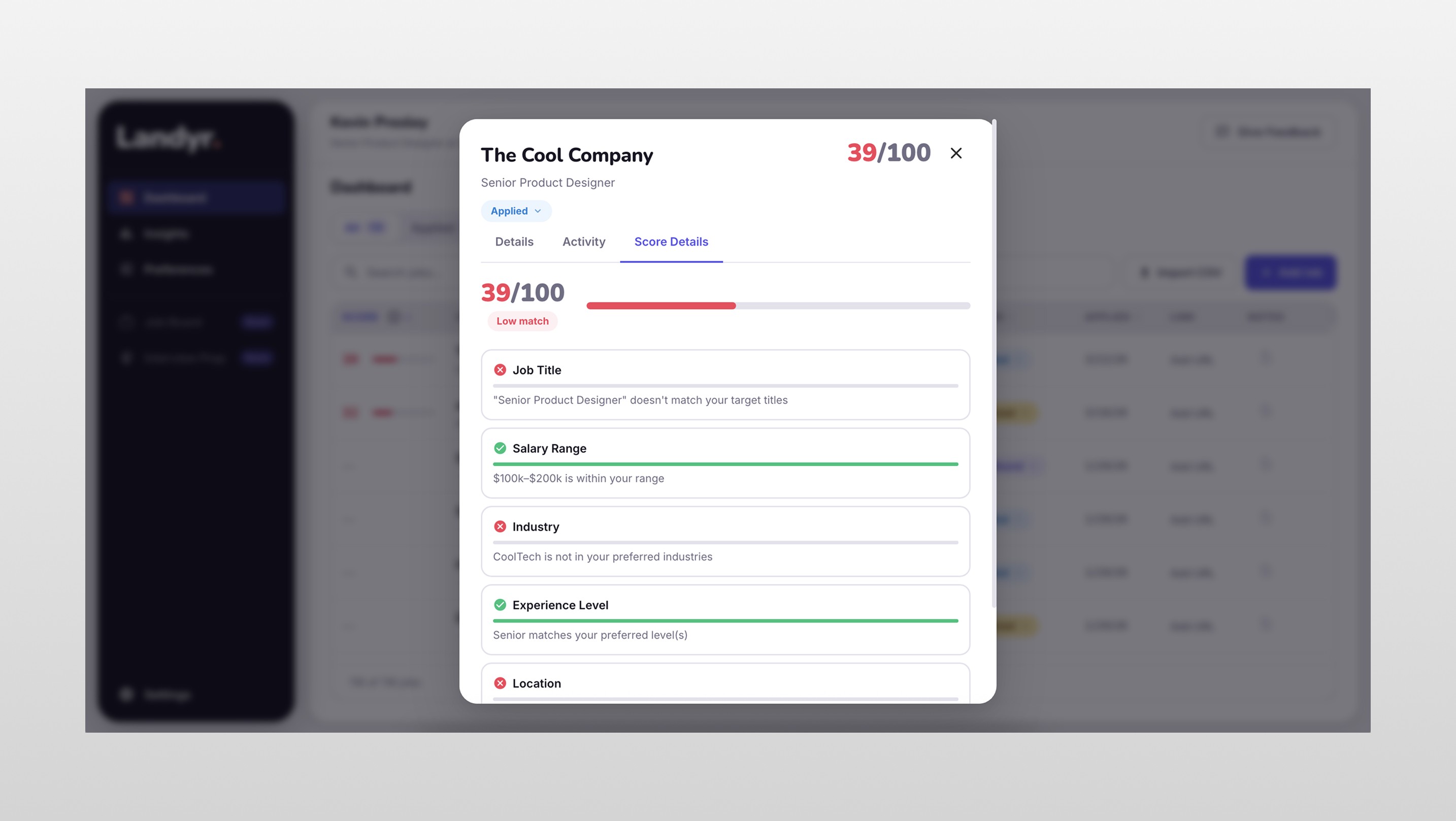
Transparent Scoring: Users see exactly how scores are calculated. Trust matters when an algorithm is telling you which jobs to prioritize.
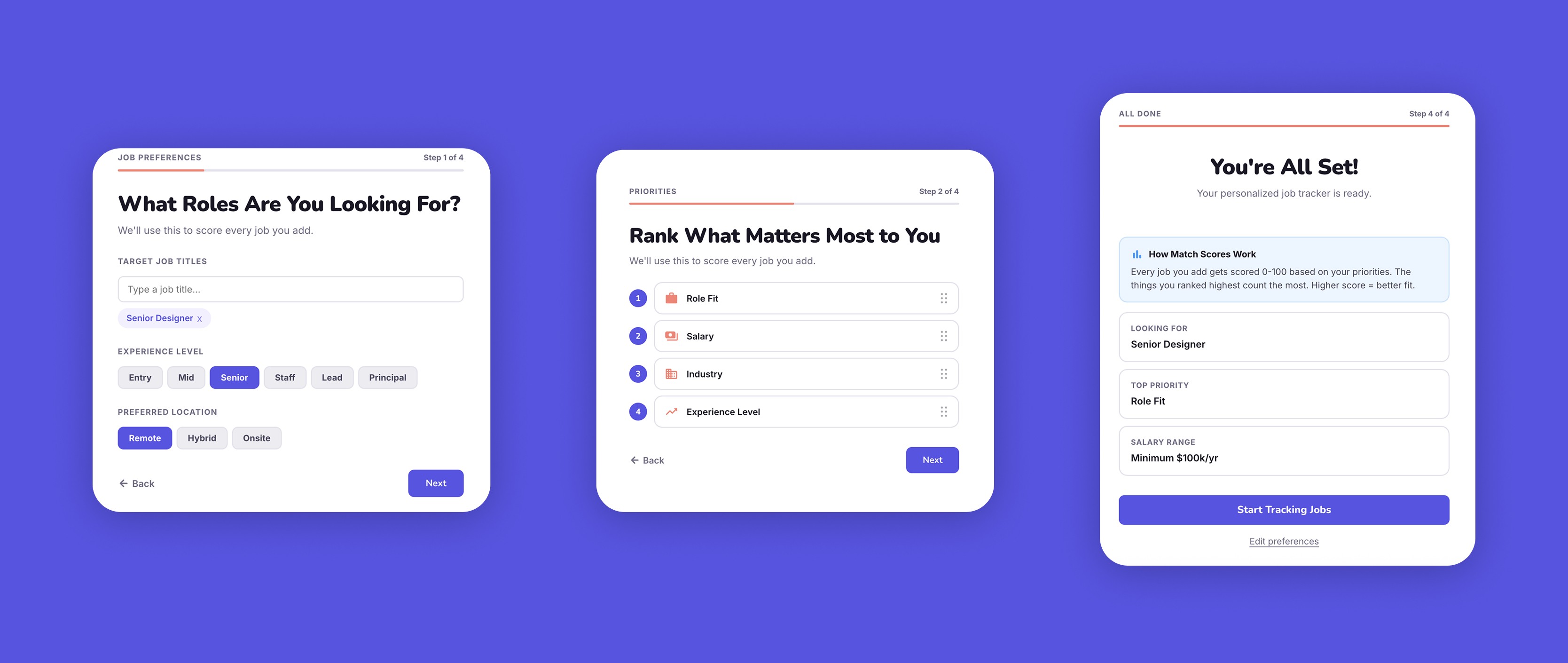
Onboarding Flow: 4-step wizard that captures preferences and explains how scoring works before you add your first job.
CSV Import: Bring existing data from spreadsheets without starting over.
Design Decisions
Why AI-assisted development:
I used Claude to write code while I focused entirely on UX decisions. This let me ship in a weekend instead of weeks. AI tools let designers build products without waiting for engineering resources.
Why match scoring transparency:
Early versions hid the scoring algorithm. Testing with my partner showed that people don't trust black-box recommendations. Adding a tooltip that explains the score breakdown increased trust and made the feature actually useful.
Why onboarding over tutorials:
I initially had no onboarding, assuming the interface was self-explanatory. Users were confused. Adding a 4-step setup flow that explained the scoring system up front made the entire app make sense.
What I learned
Launching something imperfect beats waiting for perfect. Landyr isn't feature-complete, but it's live and people are using it. Real user feedback is more valuable than hypothetical polish.
I also learned that personal projects are the fastest way to explore new tools. Building Landyr let me experiment with AI-assisted workflows in a way I couldn't do in client work. The constraint of building solo forced clarity and every feature had to justify its existence.